
Eventduos apps
Nov 26, 2025
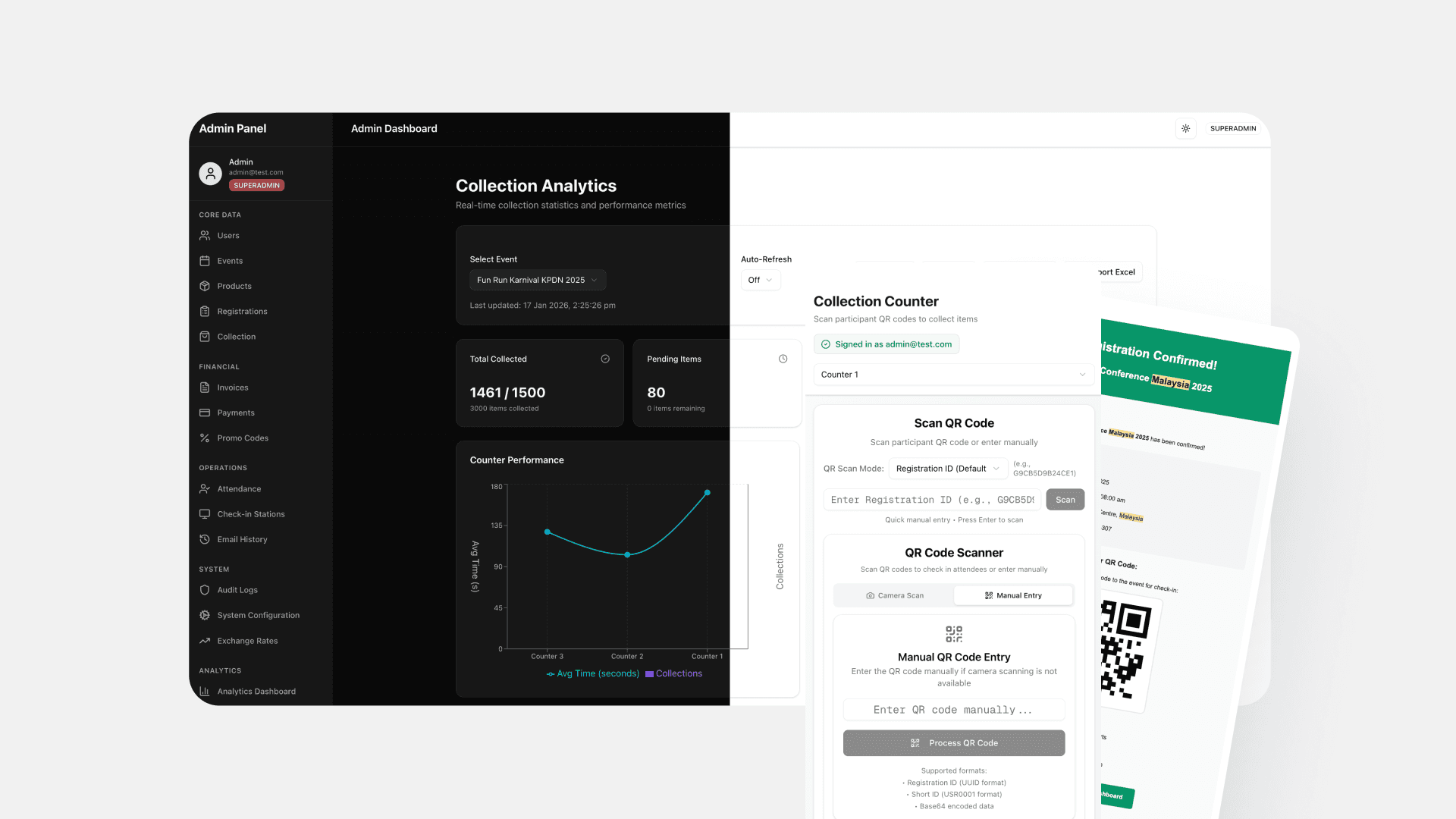
Building the Eventduos platform was one thing. Building the companion apps that handled on-ground operations was another. We needed applications for registration management, participant lists, payment gateway integration, self-check-in systems, kiosks, and item collection, all synchronized in real time.
The unique challenge here wasn't just feature scope. It was testing how far I could go as a designer stepping into full-stack development with AI as my primary assistant. Could AI tools help build something scalable and reliable? Where would they fall short? What role would human judgment play?
What We Built
The apps ecosystem handles the complete event ground operations. Organizers manage registrations and participant data. Payment gateway integration processes transactions. Self-check-in and kiosk systems let attendees register on-site. Item collection tracking ensures runners get their race packets: bibs, shirts, merchandise without confusion.
Everything syncs to one source of truth. Changes in one app reflect everywhere instantly. No data drift. No reconciliation headaches.
The UI stayed minimalist by design. We used shadcn and Tailwind's utility classes to focus on core functionality without visual bloat. The goal was clarity and speed, not decoration.
The Methodology
I developed a feedback loop specifically for AI-assisted development:
Research best implementations. What patterns work for similar problems? What architectures scale?
Identify current implementations. What exists in our codebase already? What can be reused or extended?
Implement with AI assistance. Build the feature, test it, refine it.
Document and determine. Record what was built, why it was built that way, and what to reference later.
The loop kept me focused. Each iteration fed the next. Documentation became critical, not just for me, but for the AI tools. The better the context I provided, the better the suggestions I received.
Pilot Test: 1,500 Participants, Real Conditions
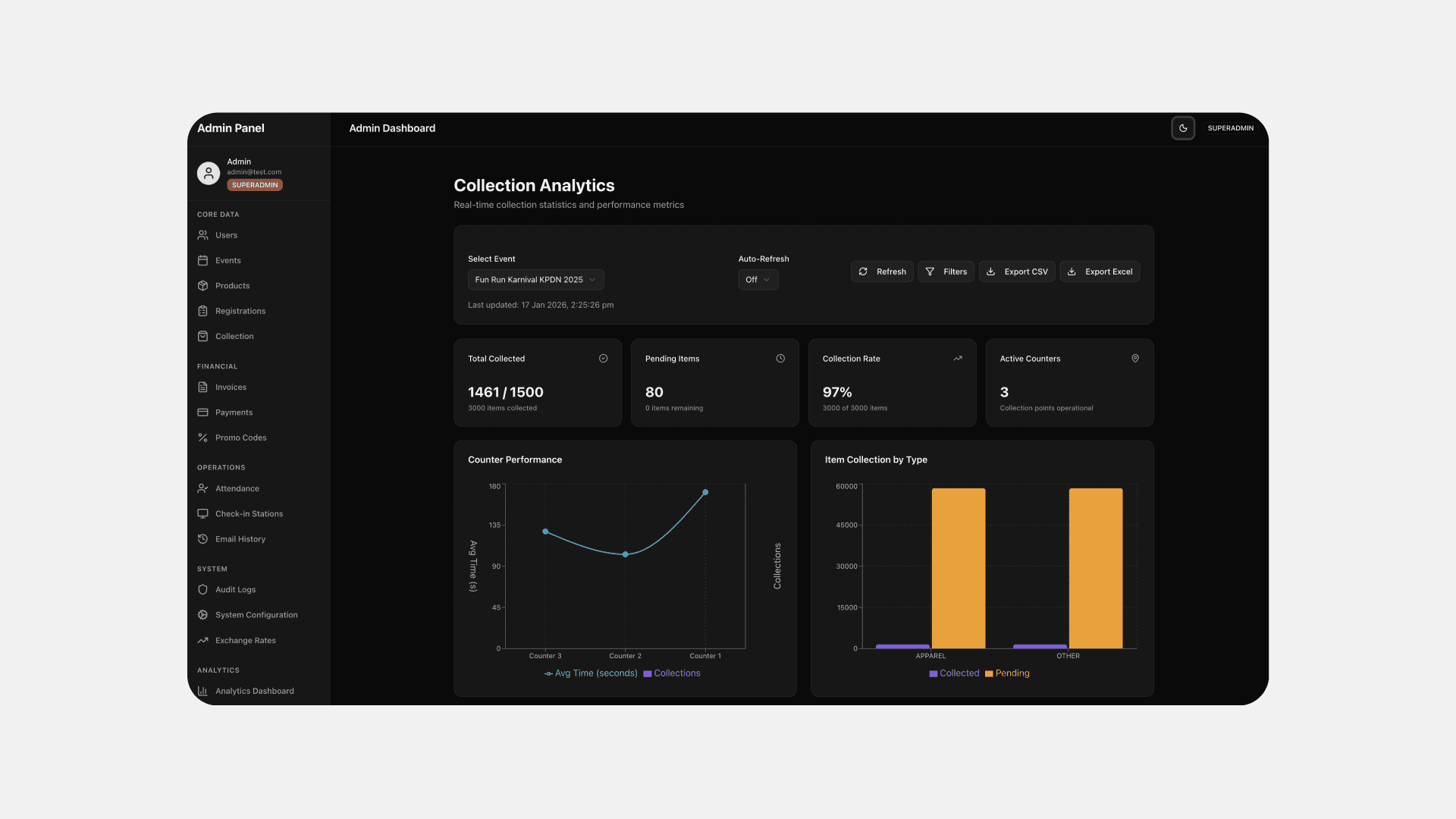
We launched with a running event. 1,500 participants. Each person had two items to collect: a bib and a t-shirt. Three collection counters, each with different hardware: high-end laptop, mid-range laptop, low-end laptop without a mouse.
The result: 97% success rate. Nearly every participant collected their items before or during the event with minimal issues.
But the 3% failure and the time variance between counters taught us more than the success.
 |
|---|
What We Learned From Real Usage
Hardware matters more than we expected. The counter with the high-end laptop processed participants faster. The low-end setup without a mouse slowed everything down. Hardware became a bottleneck we hadn't fully accounted for.
UI friction compounds at scale. Every extra click, every unnecessary screen transition, every search that required precise input, these small inefficiencies added up when repeated 1,500 times. We needed to reduce interactions, not just make them prettier.
Post-mortem analysis revealed specific improvements:
Streamline the collection flow. Instead of clicking to navigate between screens, the system should automatically print receipts after scanning a barcode. Fewer clicks, faster processing.
Magic search. Searching should work across multiple fields—IC number, name, bib number—and display results instantly. Forcing users to specify the search type first slowed them down.
Feature-based dashboard navigation. The sidebar displayed tables organized by user, event, product, and registration. It looked organized but didn't match how staff actually worked. Reorganizing by features collections, kiosks, search made navigation intuitive instead of decorative.
AI-Assisted Development: What Worked, What Didn't
AI tools accelerated frontend and backend development significantly. They helped structure architecture, suggest patterns, and generate boilerplate faster than I could manually. But they couldn't replace understanding.
The architecture had to be solid before AI could help build on it. User flows, data models, and system interactions needed clarity. Once those were defined, AI assistance became powerful. Without that foundation, AI suggestions drifted into unreliable or cluttered code.
Collaboration with an experienced software developer was essential. They reviewed code, caught security issues, and flagged patterns that wouldn't scale. AI could write code, but it couldn't evaluate whether that code belonged in production. Human judgment stayed critical.
The most interesting part was connecting modules and structuring the overall architecture. Having a clear system map, how apps communicated, where data lived, how state synchronized, made AI tools far more effective. They could reason within that structure instead of guessing.
The Real Test: Reliability Under Pressure
Event day doesn't allow for debugging. The system had to work reliably when 1,500 people showed up expecting their items. Security had to be intact. Sync had to be flawless. Performance couldn't degrade under load.
AI-assisted development got us there, but only because we enforced discipline. Code reviews. Testing under realistic conditions. Documentation that both humans and AI could reference. Without those guardrails, AI would have generated code that looked functional but failed in production.
What's Next
Based on pilot feedback, we're refining the collection flow, implementing magic search, and restructuring dashboard navigation around features instead of data tables. Each improvement comes from real usage patterns, not assumptions.
We're also expanding hardware recommendations for event organizers. If they're running multiple collection counters, hardware parity matters. Investing in consistent setups eliminates bottlenecks we saw in the pilot.
The apps continue to evolve as we gather data from more events. Every deployment teaches us something new about where the system shines and where it needs work.
What This Project Taught Me
AI tools can genuinely accelerate development, but they require clear architecture and strong documentation to be effective. They help you move faster within a well-defined structure. They don't replace the need to understand that structure.
Real-world testing reveals friction that's invisible in prototypes. Every extra click matters at scale. Hardware limitations surface under load. Users behave differently than you expect.
Building the full stack: frontend, backend, integrations, infrastructure: changes how you think about design. You stop designing in isolation. You design with implementation constraints, performance considerations, and maintenance costs constantly in mind.
And most importantly: pilot tests aren't just validation. They're learning opportunities. The 2% failure rate and time variance between counters taught us more than the 98% success.
OTHER WORKS


